1
Upload your CSV and select the prediction target
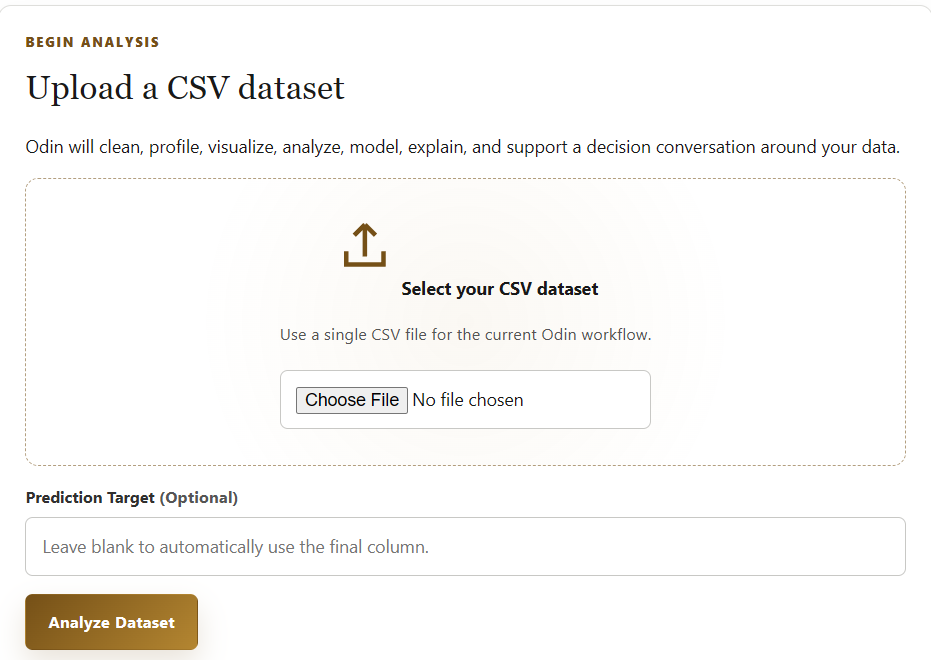
Select your CSV file, enter the prediction target if desired, and click Analyze Dataset. If you leave the target blank, Odin automatically uses the final column.
Bring in your CSV
Prepare and validate
Surface patterns
Generate AI insight
Discuss the results
Odin is an AI Decision Support Platform that transforms raw datasets into actionable insights. You upload a CSV dataset, and Odin automatically prepares and analyzes the data using appropriate statistical and machine learning techniques. It then uses AI to interpret the results in plain language. The results are organized so you can quickly review the analysis, patterns, and findings. Finally, AI Odin Conversation lets you ask questions and explore what the results mean.
Select your CSV file, enter the prediction target if desired, and click Analyze Dataset. If you leave the target blank, Odin automatically uses the final column.
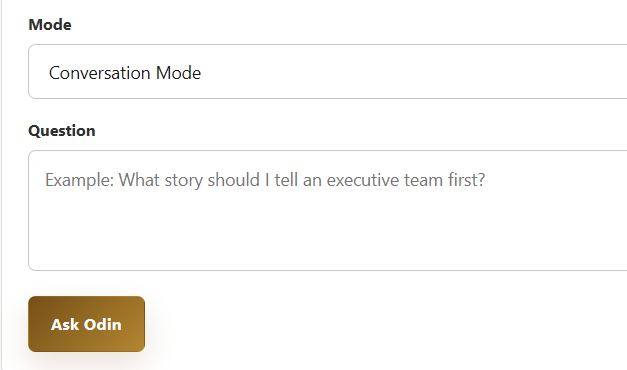
After the analysis is complete, set Mode to Conversation Mode, type your question, and click Ask Odin.